Decentralized vs Custodial Wallets - Which One Should You Use?
One of the most consequential decisions a cryptocurrency user makes is often one they give the least thought to — where to keep their digital assets. For many people, an exchange account is the default. It is where they bought crypto, so it is where crypto lives. The concept of moving assets into a separate wallet feels like an unnecessary extra step.
This thinking has cost people enormously. Understanding the genuine difference between decentralised and custodial wallets is not a technical exercise. It is a foundational financial decision with real and lasting consequences.
The Fundamental Question — Who Holds the Keys?
Every piece of cryptocurrency is controlled by a private key. This key is the cryptographic proof of ownership that authorises transactions on the blockchain. Whoever controls the private key controls the asset.
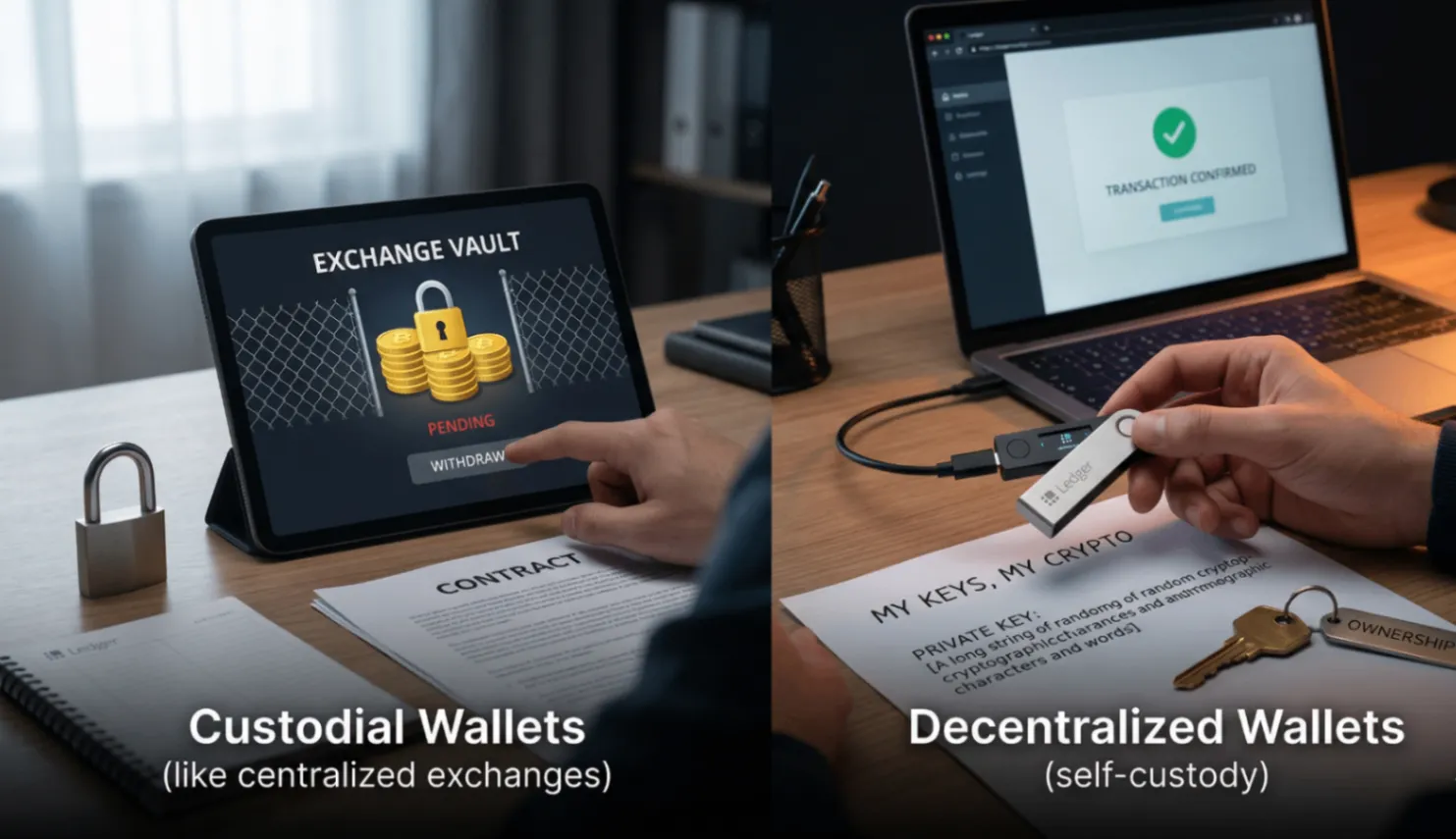
When evaluating any wallet or platform, the first question to ask is straightforward. Who holds the private key to my assets? The answer to that question determines everything else. If a third party holds your private keys, you are using a custodial arrangement. If you hold your own private keys, you are using a decentralised crypto wallet.
How Custodial Wallets Work
A custodial wallet is one in which a third party holds your private keys on your behalf. When you create an account on a centralised exchange and purchase cryptocurrency, the exchange generates wallet addresses and holds the corresponding private keys in their own infrastructure.
Your balance on that platform is essentially a ledger entry. The exchange owes you those assets and will, under normal circumstances, allow you to withdraw them on demand.
The risks are structural and significant. Your access to your assets depends entirely on the continued operation and integrity of the custodial platform. If the exchange is hacked, your assets may be lost. If the platform becomes insolvent, your crypto may be frozen. These are not theoretical risks. They have materialised repeatedly in the history of cryptocurrency, resulting in billions of dollars of user losses at platforms that were, at the time, considered reputable and secure.
How Decentralized Wallets Work
A decentralised wallet, also called a non-custodial wallet app, generates your private keys on your device and never transmits them to any server or third party. The wallet application provides the interface for managing your crypto, but it does not hold your keys and cannot access your funds.
When you set up a decentralised wallet like DokWallet, you are given a seed phrase, which is the master key from which all your private keys are derived. This seed phrase exists only in the form you store it. The application has no record of it whatsoever.
Your assets on the blockchain are accessible only to whoever possesses your private keys. Because no one else has them, no third party can freeze your account, intercept your transactions, or prevent you from accessing your funds under any circumstances.
Comparing the Two Approaches
The convenience of custodial wallets is real. Password resets are available. Customer support can help with account issues. The interface is typically polished and beginner-friendly. But that convenience comes with a cost measured in risk and dependency. The same control that enables convenience is the same control that creates risk.
Decentralised wallets require users to manage their seed phrase responsibly. This responsibility is real. But the reward is complete, unconditional ownership of your digital assets with no counterparty risk whatsoever. For a full breakdown of what self-custody involves at a practical level, visit the DokWallet non-custodial wallet guide.
The Role of Decentralized Wallets in DeFi and Web3
Beyond the custody question, decentralised wallets serve a function that custodial wallets simply cannot. They enable direct interaction with decentralised applications, DeFi protocols, and Web3 services.
Smart contract-based applications require users to sign transactions with their own private keys. This is technically impossible with a custodial wallet. Decentralised wallets like DokWallet connect directly to these applications, enabling users to participate in the full range of decentralised finance activity.
For anyone engaged in DeFi, yield farming, NFTs, or any other Web3 activity, a decentralised non-custodial wallet is not just preferable. It is a practical necessity. DokWallet also supports a full multi-chain crypto wallet experience, meaning you can manage assets across multiple blockchain networks from a single application.
Which Option Is Right for You?
For users who are new to crypto and not yet ready to take on the responsibility of self-custody, a custodial arrangement may be appropriate in the short term. However understanding its limitations is essential from the very beginning.
For users who hold significant amounts of cryptocurrency, engage with DeFi or Web3 applications, or have watched custodial platforms fail and want to ensure their assets are never at risk from third-party failures, a decentralised non-custodial wallet is the clear and unambiguous choice.
DokWallet is built to make the transition to self-custody straightforward. Its non-custodial wallet app is designed for real-world daily use, combining genuine decentralised ownership with the usability that modern mobile users expect.
Practical Steps for Moving to a Decentralized Wallet
If you currently hold assets on a custodial platform and want to move to a decentralised wallet, the process involves a few clear steps.
First, download and set up DokWallet from dokwallet.com. During setup, write down your seed phrase immediately and store it securely offline. Never proceed without completing this step.
Second, obtain your new wallet address from the application. This is the address to which you will send your crypto from the custodial platform.
Third, withdraw your assets to your new wallet address. Start with a small test transaction to confirm everything is working correctly before transferring larger amounts.
Once your assets are in your DokWallet, you have full, exclusive control. The custodial platform no longer has any relationship with those assets.
Final Thoughts
The choice between a decentralised and custodial wallet is ultimately a question of how seriously you take ownership of your digital assets. In a space where platforms have failed, frozen withdrawals, and lost user funds with regularity, the argument for genuine self-custody through a non-custodial wallet app like DokWallet has never been stronger.
Take ownership of your crypto. Visit dokwallet.com to get started with a decentralised wallet built for the way you actually use crypto.
Frequently Asked Questions
What is the main difference between a decentralized and a custodial wallet?
The key difference is who holds your private keys. With a custodial wallet, a third-party platform holds your keys and controls access to your assets. With a decentralized wallet like DokWallet, you hold your own keys and no one else can access or freeze your funds.
Is it safe to keep crypto on an exchange?
Exchanges are useful for trading but are not designed for long-term storage of significant holdings. Numerous exchanges have been hacked, gone insolvent, or frozen withdrawals without warning. For assets you plan to hold, a non-custodial decentralized wallet is a safer choice.
Can I still use DeFi if I switch to a decentralized wallet?
Yes. In fact, a decentralized wallet is required to interact with DeFi protocols. Smart contract applications require you to sign transactions with your own private keys, which is only possible with a non-custodial wallet. Custodial accounts cannot connect to DeFi directly.
How do I move my crypto from an exchange to DokWallet?
Download and set up DokWallet, copy your receive address for the relevant asset, then initiate a withdrawal from your exchange to that address. Always send a small test amount first before transferring larger holdings to confirm everything is working correctly.
What happens if I lose access to my DokWallet device?
Your wallet is tied to your seed phrase, not your device. Install DokWallet on any new device, choose the import option, enter your seed phrase, and all your assets will be immediately accessible.