Non-Custodial Wallet App Security: How to Keep Your Crypto Safe on Mobile
A non-custodial wallet gives you complete control over your crypto. It also gives you complete responsibility for its security. Unlike a bank or a centralised exchange, there is no customer support team to call if you lose your seed phrase or fall victim to a phishing attack. Understanding the security landscape of a non-custodial wallet app is essential before you move significant assets into one.
This guide covers the threat model for mobile non-custodial wallets, the protection mechanisms DOK Wallet uses, and the security habits that keep your funds safe over time.
Why Non-Custodial Security Is Different
In a custodial wallet, security is largely the platform's responsibility. They manage the private keys, they implement fraud detection, and they have insurance or legal obligations to cover some losses. In a non-custodial wallet app, security is your responsibility. This shifts the threat model significantly.
The primary threats to a non-custodial wallet are loss of the seed phrase, theft of the seed phrase, and compromise of the device running the wallet app. Each of these threats requires a different mitigation strategy.
For an introduction to why non-custodial wallets are worth the responsibility, read our non-custodial wallet overview.
Seed Phrase Security: The Foundation
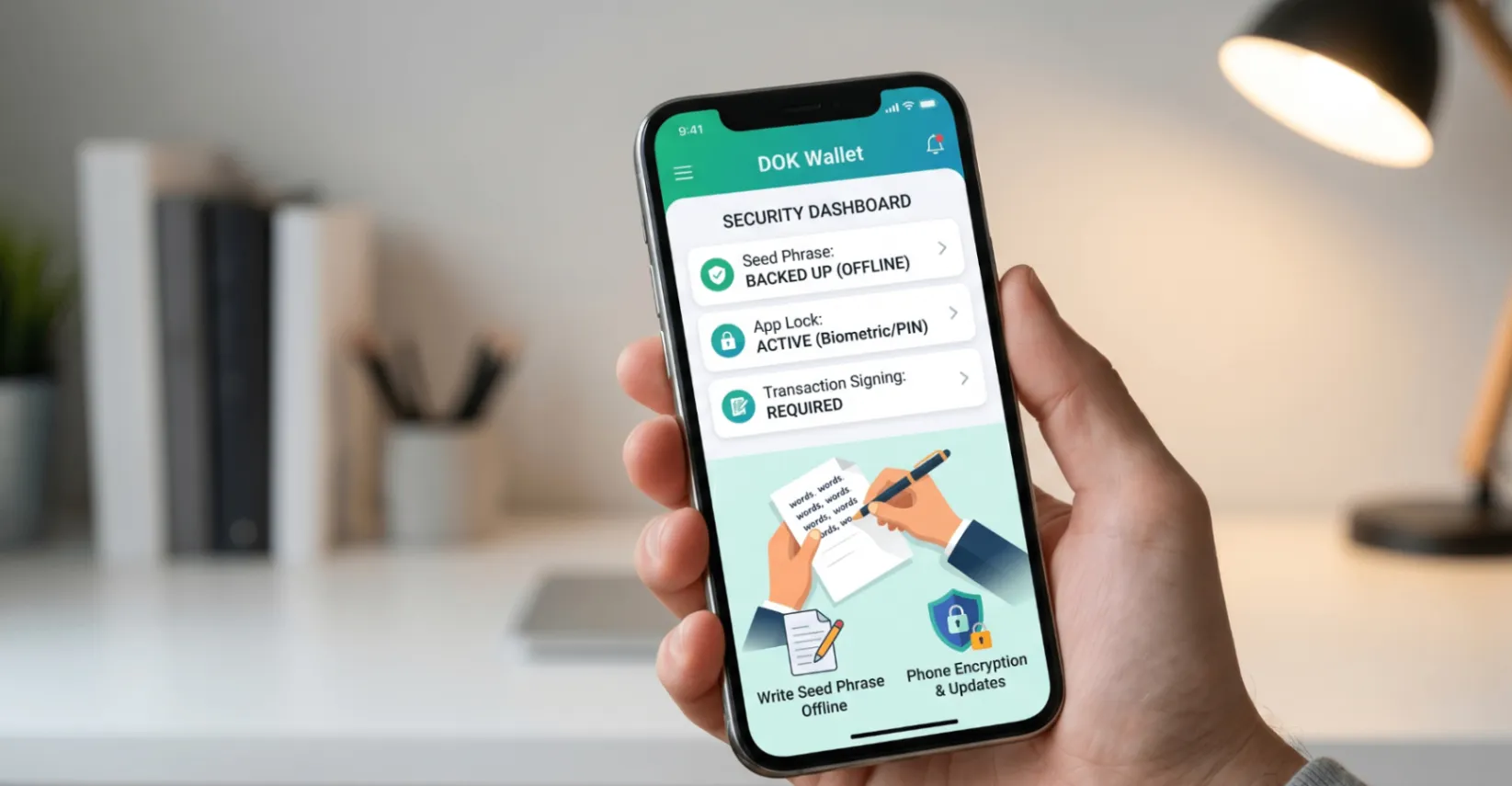
Your seed phrase is the master key to everything in your DOK Wallet. Every private key on every supported blockchain derives from this phrase. Anyone who has it owns your assets. The seed phrase security rules are simple but non-negotiable:
- Write it on paper with a pen. Not a printer, not a phone.
- Store the paper in a physically secure location, ideally fireproof.
- Never photograph it, email it, or store it in any digital format.
- Consider making two copies stored in separate physical locations.
- Never share it with anyone, under any circumstances.
DOK Wallet requires you to verify your seed phrase during setup by selecting words in the correct order. This verification step ensures you have written it down accurately before any assets enter the wallet.
Device Security
Your phone is the physical home of your non-custodial wallet app. Keeping it secure is part of keeping your crypto secure. Key device security practices include:
- Enable full-device encryption on both iOS and Android.
- Use a strong PIN or biometric lock on your device screen.
- Keep the operating system updated to benefit from security patches.
- Avoid sideloading apps from unofficial sources, especially on Android.
- Be cautious about app permissions. A wallet app does not need microphone or contacts access.
DOK Wallet's Built-In Security Mechanisms
DOK Wallet implements several security mechanisms at the app level. Biometric authentication (Face ID, Touch ID, or fingerprint) is required to open the app. The app does not allow screenshots in seed phrase display screens, reducing the risk of accidental capture. Private key material is stored using platform-native secure storage APIs: the iOS Keychain and Android Keystore.
Because DOK Wallet is open source, these security implementations are publicly auditable. There are no hidden network calls that transmit key material, no background data collection, and no obfuscated code paths that could conceal unexpected behaviour.
Review the open-source code at dokwallet.com/open-source.
Phishing and Social Engineering
One of the most common ways mobile crypto users lose funds is through phishing: fake wallet apps, fake support communications, and fake websites designed to capture seed phrases. DOK Wallet will never ask for your seed phrase via email, message, or in-app notification. Any communication claiming to be from DOK Wallet that requests your seed phrase is fraudulent.
Download DOK Wallet only from the official App Store or Google Play listing. Verify the developer name before installing. Do not click wallet app links from unsolicited messages.
Transaction Signing Security
Every transaction in DOK Wallet is signed with your private key on your device. The signed transaction is broadcast to the network, but the key never leaves your device. This means even if DOK Wallet's servers were compromised, an attacker would have no key material to work with.
Before confirming any transaction, verify the recipient address and amount. For large transactions, manually verify several characters from different positions in the address, not just the first and last few. Clipboard hijacking malware that replaces copied addresses exists and has resulted in real losses.
For practical payment security guidance, read how to pay with crypto safely.
Frequently Asked Questions
What is the biggest security risk for a non-custodial wallet?
Loss or theft of the seed phrase is the primary risk. Because only the seed phrase can restore your wallet, and no company holds a backup, losing it means permanent loss of all assets. Physical security of your written seed phrase is the most critical element of non-custodial wallet security.
How should I store my seed phrase?
Write it on paper with a pen, number each word in order, and store it in a physically secure location such as a fireproof safe. Never photograph it, email it, or store it in any digital format. Consider keeping a second copy in a separate secure location.
Does DOK Wallet block screenshots during seed phrase setup?
Yes. DOK Wallet blocks screenshot functionality on the seed phrase display screen, reducing the risk of your recovery phrase being captured in your photo library. The app also requires seed phrase verification before the wallet is activated.
How does DOK Wallet protect against phishing attacks?
DOK Wallet will never request your seed phrase via email, in-app notification, or any other channel. Any communication claiming to be from DOK Wallet that asks for your seed phrase is fraudulent. Always download DOK Wallet only from the official App Store or Google Play listing.
What is clipboard hijacking and how can I avoid it?
Clipboard hijacking is malware that replaces wallet addresses you copy with the attacker's address. To avoid it, manually verify several characters from different positions in a pasted address before confirming any transaction — not just the first and last few.
Does using DOK Wallet's open-source code improve security?
Yes. Open-source code means security researchers and developers can audit the key generation, storage, and transaction signing implementation. Hidden backdoors, unexpected data collection, and insecure cryptography cannot survive public code inspection.
Final Thoughts
A non-custodial wallet app like DOK Wallet provides genuine ownership and strong security infrastructure. But the security model only holds if users understand their responsibilities. Seed phrase protection, device hygiene, phishing awareness, and transaction verification are the four pillars of safe non-custodial wallet use.
Download DOK Wallet and start your secure self-custody journey at dokwallet.com.