
Crypto Wallet iOS App: Everything iPhone Users Need to Know About DOK Wallet
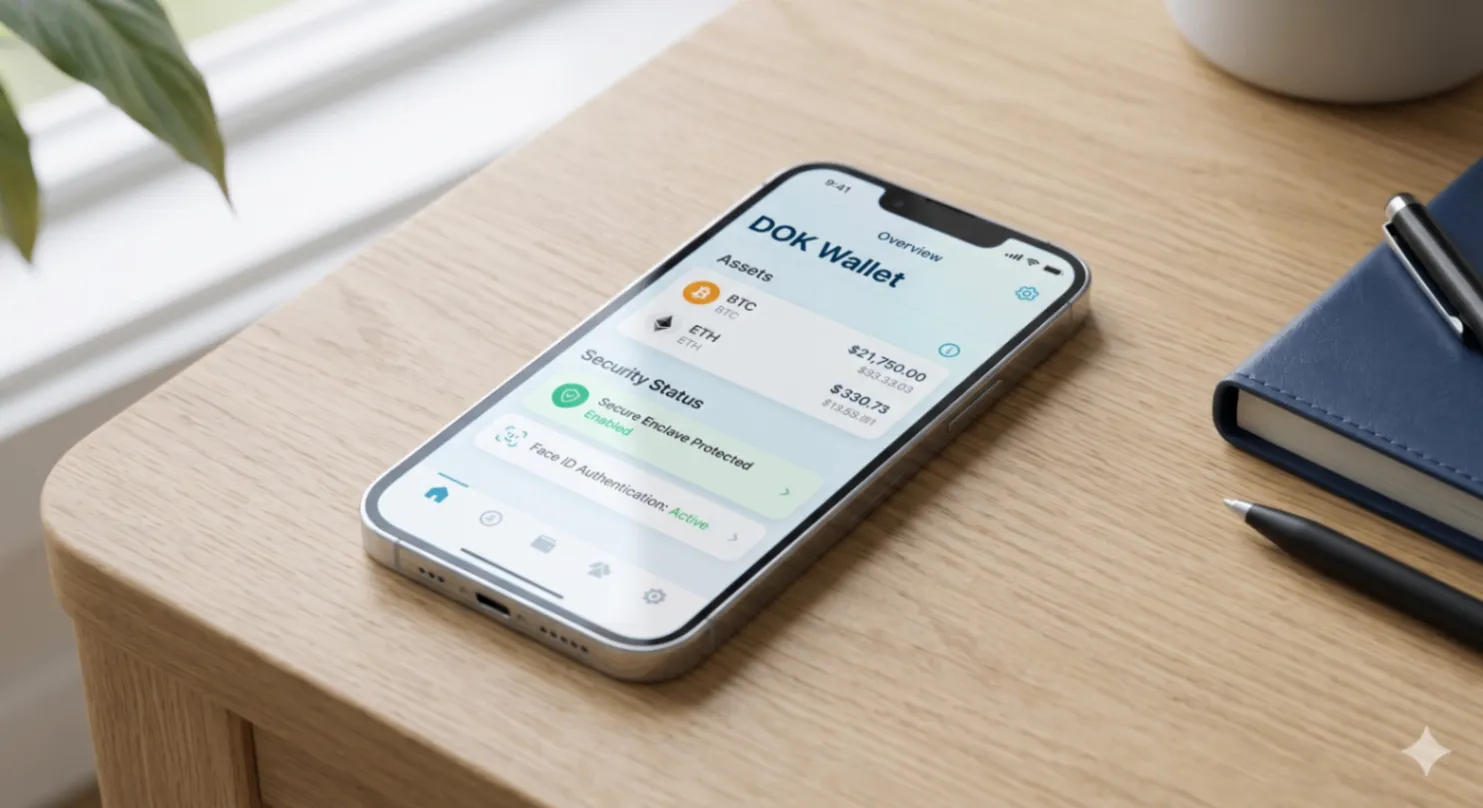
iPhone users have come to expect a specific standard from their apps: polished design, reliable performance, seamless integration with iOS security features, and respect for privacy. Crypto wallet apps on iOS need to meet this bar while also handling the higher-stakes requirements of managing financial assets.
This guide covers what makes a great crypto wallet iOS app, what iOS-specific security features matter for crypto users, and how DOK Wallet delivers on the iPhone platform.
Why iOS-Specific Design Matters for Crypto Wallets
A crypto wallet built as a generic app and simply published to the App Store will not perform as well as one designed with iOS capabilities in mind. iOS offers specific security infrastructure, including the Secure Enclave hardware chip, the Keychain for encrypted credential storage, biometric APIs for Face ID and Touch ID integration, and app sandboxing that isolates app data from other apps on the device.
DOK Wallet's iOS app is designed to use these capabilities. Private key material is stored using iOS Keychain APIs, which use hardware-backed encryption on devices with a Secure Enclave. Face ID and Touch ID are integrated for app-open authentication. The app sandbox prevents other apps from accessing DOK Wallet's data.
Non-Custodial on iOS: Keys Stay on Your iPhone
DOK Wallet is fully non-custodial on iOS. When you create your wallet on iPhone, the seed phrase is generated using iOS cryptographic APIs with entropy from the device's hardware random number generator. The seed phrase is displayed once during setup for you to write down, then stored in encrypted Keychain storage. It never leaves your device.
This means even if DOK Wallet's company servers were compromised or shut down, your iOS wallet would continue to function for signing transactions, and your assets would remain accessible through your seed phrase on any compatible wallet.
For the full non-custodial architecture explanation, read our non-custodial wallet guide.
Multi-Chain Support on iPhone
DOK Wallet's iOS app supports the same multi-chain portfolio as the Android version. Bitcoin, Ethereum, BNB Chain, Polygon, and other supported networks are all accessible from the iPhone interface. Your unified portfolio dashboard shows total value and individual balances across all chains in real time.
Switching between networks in the iOS app is a single tap. Sending on Bitcoin requires selecting Bitcoin as the asset; sending USDC on Polygon requires selecting the Polygon network. The interface makes chain selection explicit and clear to avoid the common mistake of sending to the wrong network.
For multi-chain management detail, read our multi-chain wallet guide.
App Store Security: What It Means for DOK Wallet Users
Apple's App Store review process provides a layer of screening that prevents the most obvious malicious apps from reaching iOS users. All App Store apps must use Apple's APIs, cannot access data from other apps, and are reviewed by Apple before publication. This does not guarantee security but provides a meaningful baseline.
DOK Wallet's open-source codebase means additional security assurance beyond App Store review. The code that appears in the App Store can be compared against the open-source repository by anyone with the technical background to do so.
Review DOK Wallet's open-source code at dokwallet.com/open-source.
DOK Wallet iOS Experience: Daily Use
For daily use, DOK Wallet on iPhone is designed around the actions most users perform most often. The portfolio dashboard opens immediately after biometric authentication. Send and receive are accessible from the main screen. Swap is available for supported asset pairs within two taps.
The iOS version takes advantage of iPhone hardware for QR code scanning of wallet addresses (using the device camera) and haptic feedback on transaction confirmation. These integrations make the experience feel native rather than like a cross-platform port.
Privacy on iOS With DOK Wallet
iOS users who care about privacy will find DOK Wallet aligned with Apple's own privacy standards. The app does not require account creation or personal information. No analytics SDKs are embedded in the app. Usage data is not transmitted to DOK Wallet's servers. The wallet functions entirely without a backend account.
The open-source code is the verification mechanism for all of these privacy claims. Any developer can confirm what network calls the app makes and what data it transmits.
For broader privacy considerations in crypto wallets, read our decentralized vs custodial comparison.
Getting Started With DOK Wallet on iPhone
Download DOK Wallet from the App Store. Open the app and choose to create a new wallet. When your twelve-word seed phrase is displayed, write every word down in order on paper before proceeding. Verify the seed phrase when prompted. Your wallet is now active and ready to receive assets.
Enable Face ID authentication in the app settings for the most convenient and secure daily access. Add your first asset by sharing your relevant wallet address with the sender.
Frequently Asked Questions
What makes DOK Wallet's iOS app different from other crypto wallets on iPhone?
DOK Wallet is built to use iOS-native security infrastructure: private keys are stored using iOS Keychain APIs with Secure Enclave hardware-backed encryption, Face ID and Touch ID are integrated natively, and the app sandbox isolates DOK Wallet's data from other apps. It is designed for iOS, not simply ported to it.
Does DOK Wallet use Apple's Secure Enclave?
Yes. On devices with a Secure Enclave chip, DOK Wallet uses iOS Keychain APIs that leverage the Secure Enclave for hardware-backed encryption of key material. This means private keys are protected not just by software encryption but by hardware isolation.
Does DOK Wallet require account creation on iOS?
No. DOK Wallet does not require an account, email address, or personal information. The wallet is created from a seed phrase generated locally on your device. No account setup means no data collection and no company login to protect.
How do I enable Face ID for DOK Wallet on iPhone?
After installing and setting up DOK Wallet, go to the app's security settings and enable Face ID authentication. Once enabled, Face ID is required every time you open the app, replacing the PIN for daily access while keeping the seed phrase as your disaster recovery method.
Can I use my DOK Wallet on multiple Apple devices?
Yes. Install DOK Wallet on any compatible iOS device and import your wallet using your seed phrase. Your full portfolio across all supported blockchains will be immediately accessible on the new device.
How does App Store screening contribute to DOK Wallet's security?
Apple's App Store review process screens for apps that misuse APIs or access data from other apps. This provides a baseline layer of screening. DOK Wallet's open-source codebase adds additional assurance — the published App Store version can be compared against the public repository by anyone with the technical background to do so.
Final Thoughts
A crypto wallet iOS app should leverage everything the iPhone platform offers, from the Secure Enclave to Face ID to App Store screening, while maintaining the non-custodial architecture that gives you genuine ownership of your assets. DOK Wallet delivers on both requirements.
Download DOK Wallet for iPhone at dokwallet.com and take full control of your crypto on iOS.