Multi-Blockchain Wallet Setup: A Complete Beginner Guide to Managing Every Chain in DOK Wallet
Setting up a multi-blockchain wallet sounds technically intimidating, but in practice it is one of the most accessible things a new crypto user can do. Modern wallet apps like DOK Wallet handle the complexity of key derivation across chains automatically. What you need is a clear understanding of the setup process and the responsibilities that come with it.
This guide walks through setting up DOK Wallet as your multi-blockchain wallet, step by step, with explanations of what is happening at each stage and why it matters.
Understanding the Multi-Blockchain Wallet Model
A multi-blockchain wallet manages addresses on multiple blockchain networks simultaneously. Bitcoin, Ethereum, BNB Chain, and Polygon are examples of separate blockchains, each with its own rules, native tokens, and transaction mechanics. A multi-blockchain wallet like DOK Wallet gives you one address on each supported network, all controlled by a single seed phrase.
The seed phrase is the master key. All your blockchain addresses, across all supported networks, are mathematically derived from it. Back up the seed phrase once, and every address on every chain is covered.
For the technical foundation of how this works, read our multi-chain wallet guide.
Step One: Download DOK Wallet
DOK Wallet is available on the Apple App Store for iPhone and Google Play for Android. Search for DOK Wallet and verify the developer name before installing. Download only from the official listing.
Once installed, open the app. You will be presented with two options: create a new wallet, or restore an existing wallet from a seed phrase. If this is your first DOK Wallet, choose create.
For iPhone-specific guidance, read our crypto wallet iOS app guide.
Step Two: Generate and Secure Your Seed Phrase
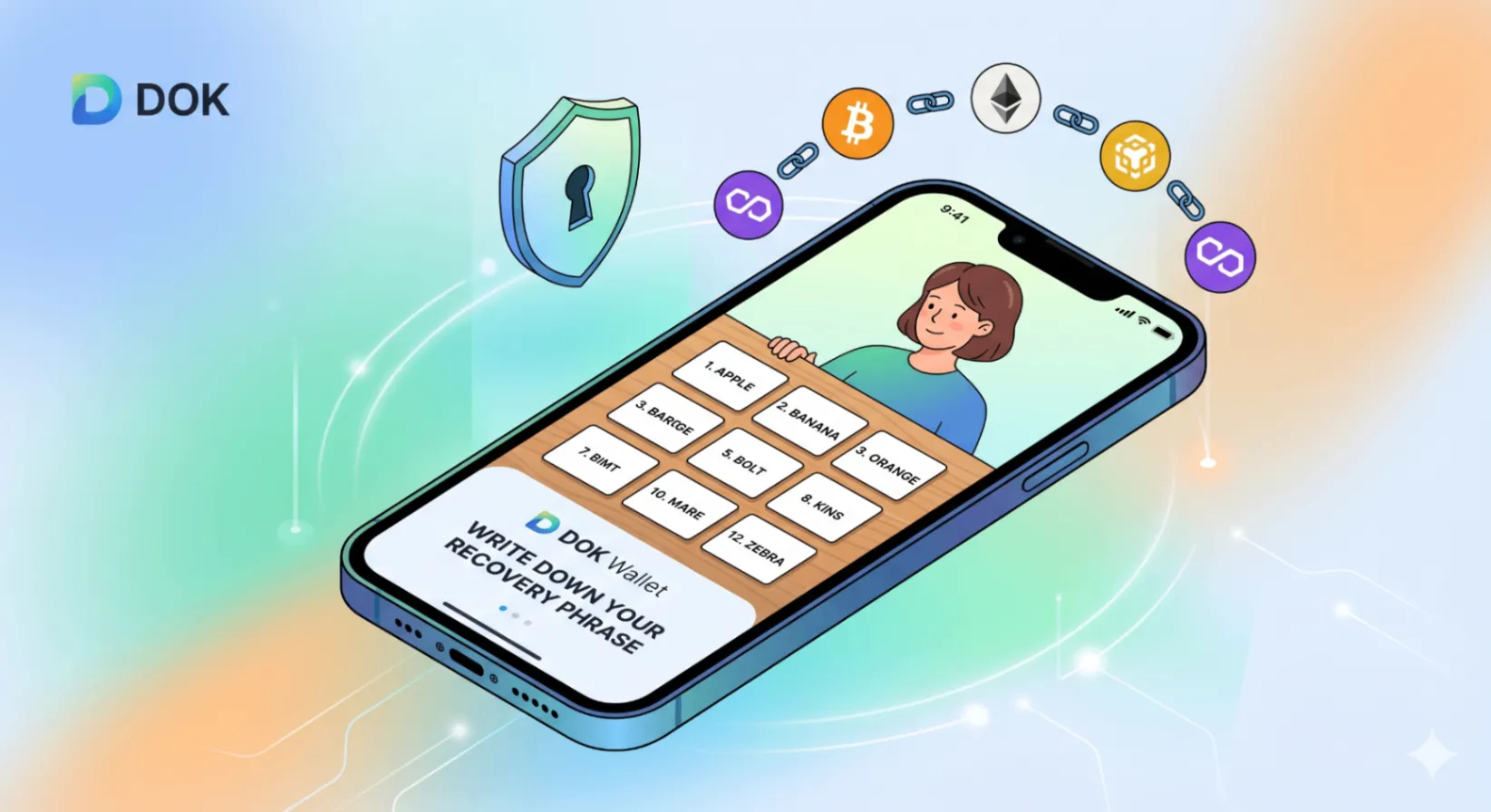
This is the most important step in the entire setup process. DOK Wallet will generate a twelve-word seed phrase using cryptographically secure randomness from your device. This phrase is the master key to your wallet and every blockchain address in it.
- Write every word down on paper, in the exact order displayed, numbered one through twelve.
- Take as much time as you need. Do not photograph the screen.
- Do not type the words anywhere digital.
- Store the paper in a physically secure location.
This paper is your wallet backup. It should be treated with the same care as a physical cash reserve of equivalent value.
Step Three: Verify Your Seed Phrase
DOK Wallet requires you to verify your seed phrase before activating the wallet. You will be asked to select words in the correct order from a randomised list. This verification ensures you have written the phrase down accurately. Completing it successfully means your backup is valid.
After verification, your wallet is active. At this point, no assets have been added, but all your blockchain addresses exist and are ready to receive funds.
Step Four: Explore Your Blockchain Addresses
In DOK Wallet, navigate to the receive section. You will see a list of supported assets and networks. Each network has its own address format. Your Bitcoin address looks different from your Ethereum address, which looks different from your BNB Chain address. This is expected and correct.
Each of these addresses is where you receive assets on the respective blockchain. Share your Ethereum address to receive ETH or ERC-20 tokens. Share your Bitcoin address to receive BTC. Share your BNB Chain address to receive BNB or BEP-20 tokens.
For managing assets across all these networks, see our guide to crypto wallets for multiple coins.
Step Five: Enable Biometric Authentication
In DOK Wallet's security settings, enable biometric authentication for app access. Face ID on iPhone, fingerprint on Android, and equivalent methods on other devices provide a strong balance of convenience and security. With biometrics enabled, opening your wallet takes under one second and does not require typing a PIN.
Biometric authentication is your daily security layer. Your seed phrase backup is your disaster recovery layer. Both are essential.
Step Six: Add Your First Assets
With your multi-blockchain wallet configured and secured, you are ready to add assets. Transfer crypto from an exchange by withdrawing to your relevant DOK Wallet address, receive crypto from another person, or use an integrated fiat onramp if available in your region.
Start with a small amount on each network to verify the receive process before moving larger holdings. Check that the transaction appears in DOK Wallet after the expected confirmation time for each network.
For making your first payment after receiving funds, read how to pay with a crypto app.
Ongoing Multi-Blockchain Wallet Management
After initial setup, multi-blockchain management in DOK Wallet is straightforward. Check your portfolio dashboard for a unified view of all holdings. Use the send feature for outgoing transactions, selecting the appropriate network for each asset. Use swap for asset conversions within the app. Keep the app updated to benefit from new network support and security patches.
For a comprehensive review of DOK Wallet's ongoing features, read our full DOK Wallet review. For cross-border payment use cases, see our cross-border crypto payments guide.
Frequently Asked Questions
How long does it take to set up DOK Wallet?
Most users complete the full setup — download, seed phrase generation, seed phrase verification, and biometric authentication configuration — in under ten minutes. The seed phrase step should be taken slowly and carefully; the rest is straightforward.
What is the seed phrase verification step and why is it required?
After generating your seed phrase, DOK Wallet asks you to select words in the correct order from a randomised list before activating the wallet. This step confirms you have accurately written down your phrase before any assets enter the wallet, ensuring your backup is valid from day one.
How many blockchain addresses does DOK Wallet create for me?
DOK Wallet creates one address on each supported blockchain network, all derived from your single seed phrase. You get a Bitcoin address, an Ethereum address, a BNB Chain address, a Polygon address, and addresses on other supported networks — all controlled by one backup.
What should I do if I forget my app PIN?
If you forget your PIN, you can restore your wallet using your seed phrase. Reinstall DOK Wallet, choose the import option, and enter your seed phrase. Your wallet and all its assets will be immediately accessible. This is another reason why seed phrase security is critical.
Can I receive assets on a blockchain before I have ever used it?
Yes. All your blockchain addresses exist from the moment your wallet is created, even if you have never added assets to a particular network. You can share your BNB Chain address immediately after setup, for example, without having made any prior BNB transactions.
Do I need to configure each blockchain separately in DOK Wallet?
No. DOK Wallet derives addresses for all supported networks automatically during setup. There is no per-chain configuration. Once your seed phrase is secured and your wallet is active, every supported network is immediately ready to receive assets.
Final Thoughts
Setting up a multi-blockchain wallet is not complicated when you have the right app and a clear guide. DOK Wallet handles the technical complexity of multi-chain key derivation automatically. Your job is to secure the seed phrase properly and understand the addresses where your assets live.
Download DOK Wallet and set up your multi-blockchain wallet at dokwallet.com.